

An EHR outage rarely announces itself. One minute the schedule loads fine, and the next your front desk is staring at a spinning wheel while three patients wait to check in and a provider is halfway through documenting a visit that just vanished into a loading screen. Whether it's a vendor-side outage, an internet drop, a botched update, or a ransomware scare that forces IT to pull the plug, the clinical day doesn't stop. Patients still show up. Meds still need refilling. Someone still has to know who's been seen and who hasn't.
Most clinics have "a plan," and that plan is usually a paragraph in a binder that says something like revert to paper. That's not a plan. That's a hope. The gap between a real EHR downtime playbook clinic teams can actually execute and a vague intention is enormous — and you only find out which one you have during the first thirty minutes of an actual outage.
This article is about closing that gap. Not the IT recovery side — that's your vendor and your MSP. This is about the operational side: what paper you need pre-printed, who does what, how you keep scheduling from imploding, and how you reconcile everything back into the system afterward without losing charges or double-documenting.
The first 30 minutes are where clinics lose the most
The damage in an outage isn't evenly distributed. It's front-loaded. In the first half hour, three things go wrong almost simultaneously, and they compound.
First, nobody knows if it's a real outage or a one-machine glitch. Staff keep refreshing, restarting browsers, rebooting workstations. Ten minutes disappear before anyone declares "the system is down" out loud. During those ten minutes, patients are checked in verbally, meds are given, vitals are taken — and none of it is written anywhere.
Second, the schedule becomes a black box. If your only copy of today's appointments lives in the EHR, and the EHR is down, you genuinely do not know who's coming at 10:15. Front desk starts guessing from memory. Patients who arrive get waved back based on "I think you're the 9:45."
Third, the phones don't care that you're down. Refill requests, results calls, and new appointment requests keep landing. Without a system, these get scribbled on sticky notes that later fall off monitors or get thrown away.
A typical example: a three-provider family medicine clinic loses their EHR at 8:40 AM on a Tuesday during a vendor database migration that ran long. By 9:30, they've seen roughly a dozen patients with zero documentation captured, missed logging two POC labs, and have no reliable list of who was actually roomed. The outage resolves at 11:15. Reconstructing that morning takes two staff members most of the afternoon, and they still can't confirm one charge.
The specifics vary. But the pattern doesn't — the operational cost of downtime is mostly created in the window before anyone has structure to fall back on.
The offline runbook: paper you print before you need it
The core of any workable downtime plan is a physical binder — or better, several identical binders, one per pod or workstation cluster — that lives where staff can grab it without logging into anything. Digital-only runbooks are a trap. If your runbook lives on a shared drive that requires network access and the outage is network-related, your plan is also down.
Eliminate appointment gaps and no-shows.
GoCliny streamlines every patient interaction from booking to billing—seamlessly.
- Unified appointment scheduling
- Automated patient reminders
- Staff calendar & task management
No credit card required
Keep identical binders at each pod or workstation cluster so staff can grab one quickly without logging in.
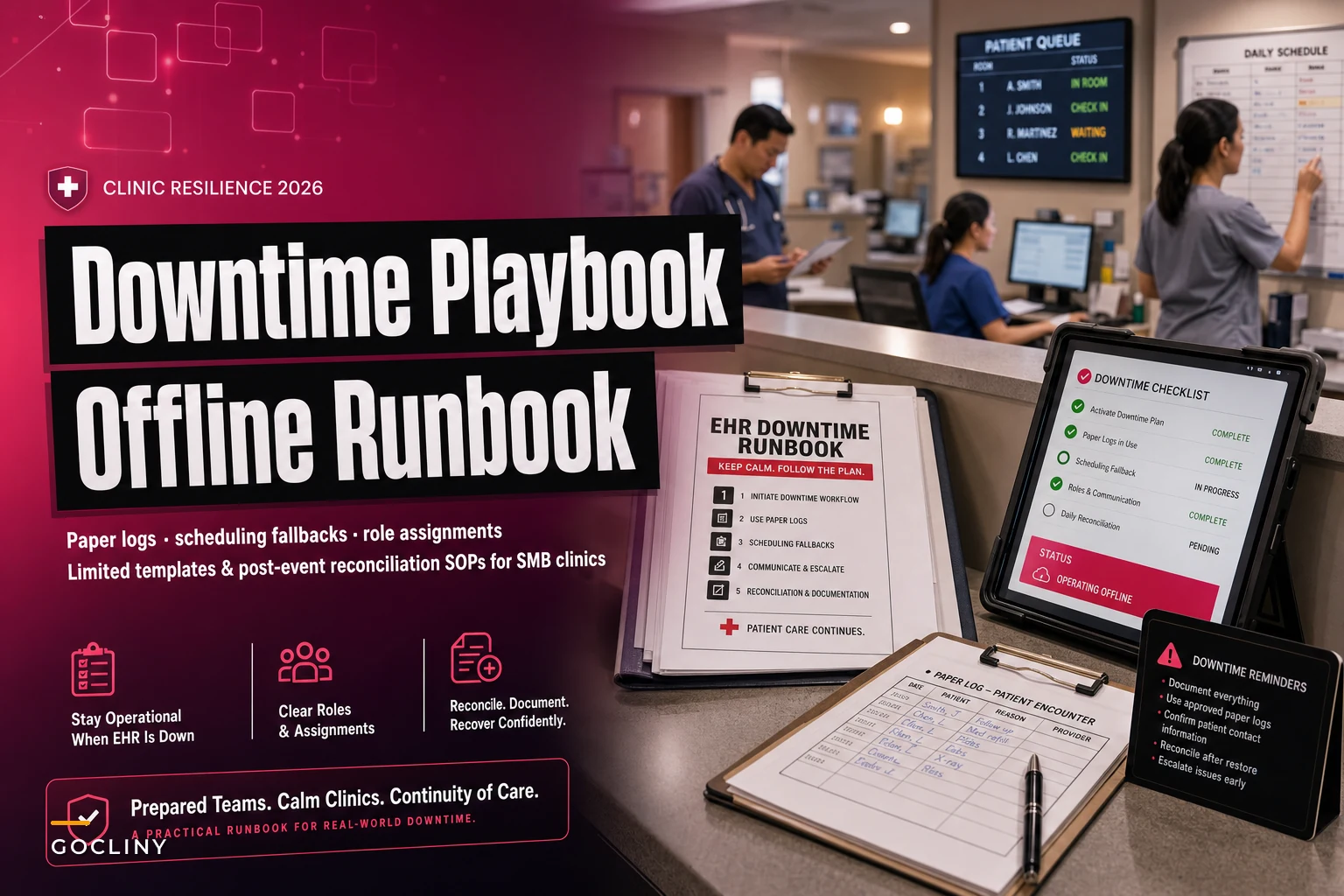
Here's what actually belongs in the binder, based on what clinics scramble for when they don't have it:
-
Downtime declaration card — a single laminated page that says who can declare an outage, who they notify, and the exact first three steps. This removes the ten-minute "is it really down?" limbo.
-
Blank encounter forms — pre-printed paper visit notes with fields for chief complaint, vitals, assessment, plan, and orders. One per patient. Not a generic notepad.
-
Paper medication administration log — critical for any clinic giving injections, infusions, or in-office meds.
-
Paper prescription pads or a fallback e-prescribe workaround — know in advance which pharmacies accept phoned-in scripts and which controlled-substance rules block that.
-
Manual charge capture slips — the single most-forgotten item, and the one that costs the most later.
-
Contact tree — vendor support number, MSP after-hours line, and internal escalation contacts, printed. Nobody remembers these from memory at 8:45 AM.
-
A blank patient tracking log — a simple grid
name, appointment time, arrival time, roomed time, provider, disposition. This becomes your source of truth for the day.
The mistake most clinics make is treating this as a "print once and forget" task. Encounter forms and charge slips need to match your actual documentation and billing fields. If your form asks for information your billers don't use — or skips a field they need — reconciliation gets painful. Review these templates whenever your EHR templates or fee schedule meaningfully change, at minimum annually.
Limited-scope documentation: capture less, but capture the right less
A common overcorrection during downtime is trying to document everything on paper exactly like you would in the EHR. That's a mistake. Paper documentation during an outage should be deliberately narrow — enough for clinical safety, continuity, billing, and legal defensibility, and nothing more.
The goal is a form a provider can complete in roughly the same time they'd normally spend documenting, without inventing structure on the fly. When providers are handed a blank sheet, they either over-document out of anxiety or under-document because they assume they'll "fix it later in the EHR." Later never quite happens the way they think.
Scope your downtime documentation around four questions:
-
What did the patient present with? (chief complaint, relevant history)
-
What did we find and decide? (exam findings, assessment, plan)
-
What did we order or give? (meds, labs, imaging, referrals)
-
What needs follow-up? (results pending, callbacks, next visit)
Everything else can wait for reconstruction. A tight form beats a comprehensive one that half your providers skip because it's overwhelming mid-outage.
One detail people consistently miss: number your paper encounter forms sequentially and log each one on the patient tracking sheet. During reconciliation, an unnumbered stack of forms is a nightmare. A missing number tells you instantly that a form is unaccounted for.
Scheduling fallbacks: don't fly blind on today's book
The single highest-leverage habit for downtime resilience costs almost nothing: print or export tomorrow's schedule at the end of every day, and today's schedule again first thing each morning. A stale end-of-day export doesn't capture same-day adds, so the morning refresh matters.
When the EHR is down, that printed schedule is your operational map. Front desk works off it, marks arrivals by hand, notes walk-ins or changes directly on the page. When the system comes back, that annotated printout drives reconciliation.
For scheduling new appointments during an outage, resist the urge to book blind into an unknown grid. Two workable approaches:
-
Buffered manual booking
only book into obvious open slots you can verify from the morning printout, and cap it. Better to hold a few requests than to double-book a provider you can't see.
-
Callback queue
log scheduling requests on a dedicated paper sheet with name, number, reason, and urgency. Book them properly once the system returns.
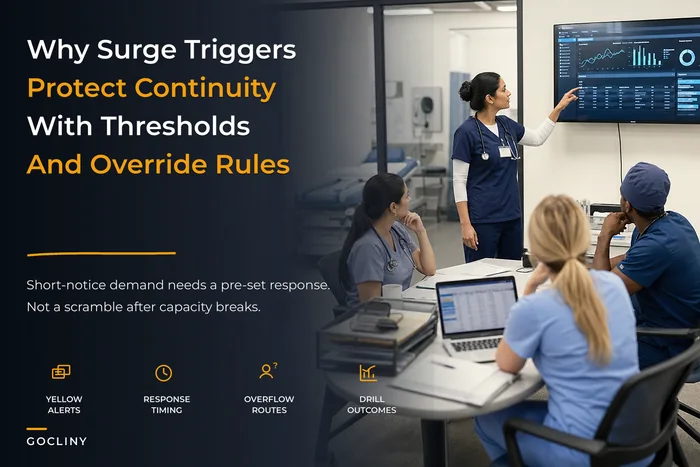
For longer or repeated outages, the coordination challenge starts to look a lot like managing a sudden capacity crunch. The same thinking behind surge triggers and rapid redeployment applies here — you're temporarily reallocating who does what and shifting non-urgent demand to a later window.
Downtime scheduling decision guide
| Situation | Do this | Avoid this |
|---|---|---|
| Short outage (under ~1 hr), patients present | Work off printed schedule, document on paper | Cancelling the whole day preemptively |
| Extended outage (half-day+) | Triage remaining patients, reschedule non-urgent, keep urgent | Booking new slots into an unknown grid |
| Outage during heavy phone volume | Route requests to paper callback queue | Sticky notes on monitors |
| Recurring/planned outage (updates) | Pre-block schedule, notify patients in advance | Treating a planned window like a surprise |
The same thinking behind surge triggers and rapid redeployment applies here — you're temporarily reallocating who does what and shifting non-urgent demand to a later window.
Role assignments: an outage needs an incident lead, not a committee
Clinics that handle downtime well don't have better technology. They have clearer roles. When something breaks, ambiguity is the enemy — five people all assume someone else is calling the vendor, and nobody is.
-
Downtime lead — usually the practice manager or lead MA. Declares the outage, activates the runbook, makes the call on rescheduling. Everyone else takes direction from this person.
-
Communications — notifies IT/vendor, keeps a running timeline of the outage, updates staff, and handles patient-facing messaging in the lobby.
-
Front desk / tracking owner — owns the patient tracking log, manages arrivals, and runs the callback queue.
-
Clinical documentation checkpoint — a designated MA or nurse who makes sure every seen patient has a completed, numbered paper form before they leave.
-
Reconciliation owner — the person responsible after the outage for getting everything back into the system. Often the same as the downtime lead, but named separately so it doesn't get dropped once the crisis passes.
That last role is the one most clinics forget to assign. During the outage, adrenaline keeps everyone focused. The moment the system comes back, relief kicks in and people scatter back to normal work — leaving a stack of paper that decays in value by the hour.
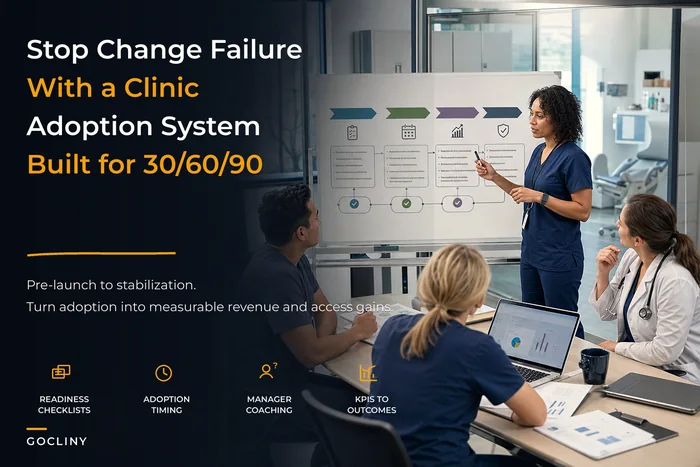
Rolling these roles into your team's muscle memory is a change-management problem as much as a documentation one. Getting staff to actually reach for the binder instead of refreshing the browser takes reinforcement, and the same adoption principles from a structured 30/60/90 change rollout apply — you drill it, you review it, and you don't assume one training session made it stick.
Post-event reconciliation: where clinics quietly lose money
Reconciliation is the part everyone underestimates. The outage ends, the EHR loads, and the natural instinct is to exhale and move on. But the paper you generated during the outage is now a liability until it's reconciled — unbilled charges, undocumented encounters, and orders that were never entered are all sitting in a stack.
Do reconciliation the same day if the outage was short, and within 24 hours at the absolute latest. Every hour that passes, memory fades and forms get misplaced.
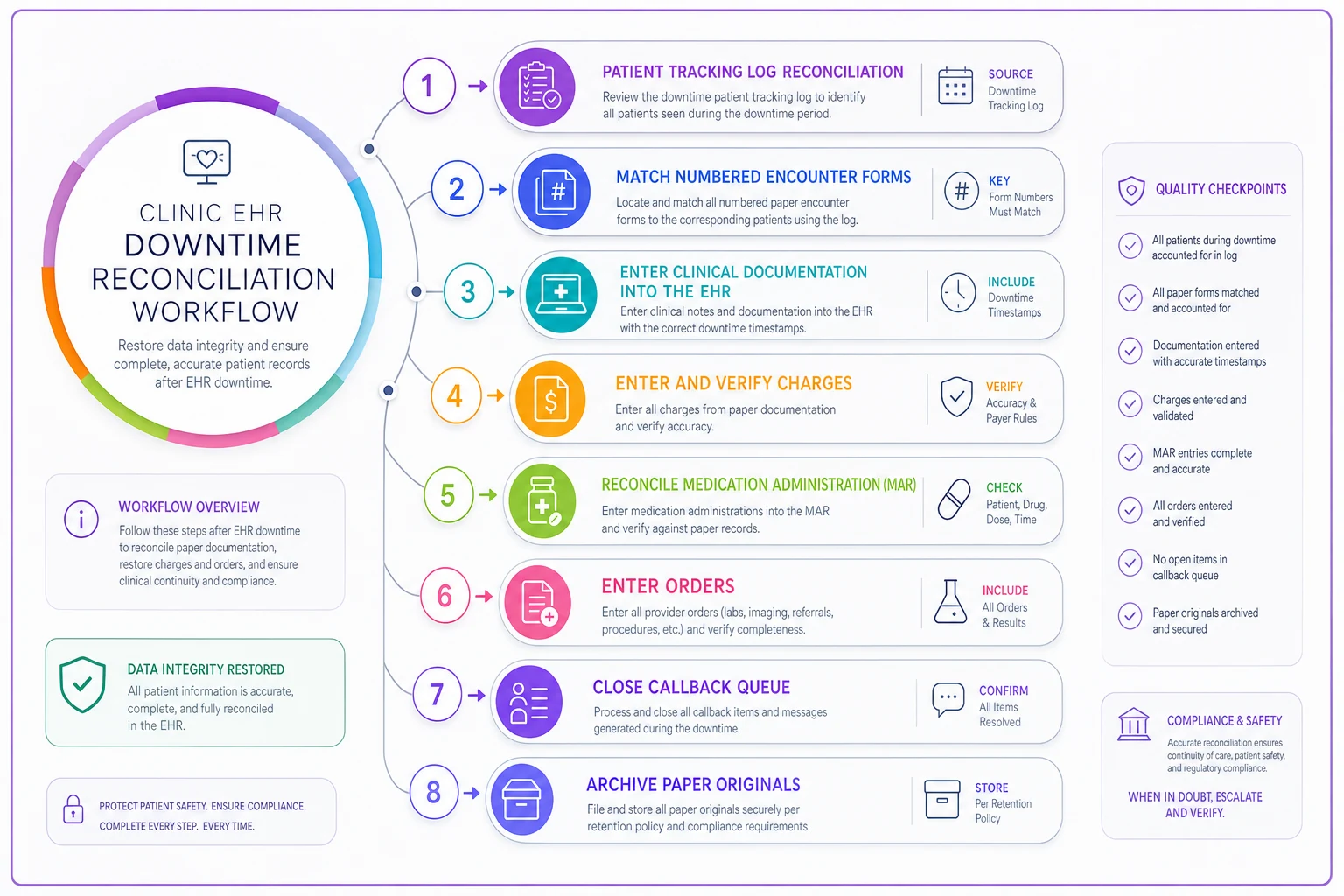
A reconciliation sequence that holds up:
-
Reconcile the patient tracking log against the schedule. Confirm every scheduled patient was either seen, rescheduled, or no-showed. Flag anyone unaccounted for.
-
Match every numbered encounter form to a patient on the log. Missing numbers mean missing documentation. Chase them down before they vanish.
-
Enter clinical documentation into the EHR, clearly marked as downtime documentation with the actual date/time of service, not the entry time.
-
Enter and verify every charge from the manual charge slips. This is the single biggest revenue leak — meds given, labs run, and procedures done during downtime that never get billed.
-
Reconcile medication administration against the paper MAR, especially controlled substances and injectables.
-
Enter any orders — labs, imaging, referrals, prescriptions — that were done on paper, and confirm nothing was ordered twice.
-
Close the callback queue — book the appointments and return the calls that piled up.
-
Retain the paper. Scan or file the original downtime documentation per your record-retention policy. Do not shred it just because it's now in the EHR.
A quick reconciliation checklist to keep at the front of the binder:
-
Every scheduled patient accounted for
-
All encounter forms matched and numbered
-
Clinical notes entered with correct service dates
-
All charge slips entered and verified
-
MAR reconciled (controlled substances double-checked)
-
Orders entered, no duplicates
-
Callback queue cleared
-
Paper originals scanned and retained
-
Outage timeline documented for review
A quick workflow diagram can help teams follow the sequence during reconciliation.
Do reconciliation the same day if the outage was short, and within 24 hours at the absolute latest. Every hour that passes, memory fades and forms get misplaced.
A real scenario: what a working playbook changes
Consider a two-site internal medicine practice — roughly 40 provider-hours a day combined — that had exactly the "revert to paper" paragraph and nothing else. During a roughly four-hour vendor outage, their front desk lost track of arrivals, several in-office injections went unlogged, and reconciliation the next day surfaced somewhere around eight to ten uncaptured charges plus two patients they couldn't confirm had been documented at all. Revenue exposure landed in the low four figures for a single morning, before you account for the staff hours spent reconstructing it.
They rebuilt around a physical runbook: printed schedules every morning, numbered encounter forms, a named downtime lead per site, and a same-day reconciliation SOP owned by each practice manager. The next outage — shorter, around ninety minutes — was almost a non-event. Every seen patient had a matched form, charge capture was complete, and reconciliation took under an hour instead of most of a day. Nothing about their technology changed. The structure did.
When to keep it simple, and when to invest more
A small single-provider clinic with light in-office procedures doesn't need an elaborate incident-command structure. A laminated card, printed schedules, and a simple encounter/charge form will carry you through almost any outage. Over-engineering the plan just means nobody reads it.
Multi-site and higher-acuity clinics — infusion, procedures, heavy injectable volume — need the fuller version: named roles per site, a proper MAR, sequential form numbering, and a disciplined reconciliation owner. The downside risk of an outage is simply larger, both clinically and financially.
Where clinics go wrong is skipping the drill. A binder nobody has ever opened performs about as well as no binder at all during a real outage. Run a fifteen-minute tabletop once or twice a year: "System's down, it's 8:45, go." You'll find the gaps fast — usually a missing phone number, an outdated form, or confusion over who declares the outage.
Bringing it together
Downtime is one of the few operational events where preparation and outcome are almost perfectly correlated. The clinics that stay calm and lose almost nothing aren't lucky — they printed the schedule that morning, they numbered their forms, they knew who was calling the vendor, and they reconciled before the paper had a chance to go cold.
You can't prevent every outage. Vendors go down, updates fail, and networks drop at the worst possible time. What you can control is whether the next one costs you a stressful afternoon of reconstruction and a handful of lost charges, or whether it barely registers. Build the binder, assign the roles, drill it twice a year, and reconcile the same day. That's the whole game.
Ready to transform your practice workflow?
Join 2,000+ healthcare providers using GoCliny to increase efficiency, improve patient satisfaction, and grow revenue.